1
NewsPinned
Affont 1.1.1 & 1.1.2: bitmap letters, several letters without a template and live Auto-spacing

Two updates in one post. What’s new:
Bitmap letters (1.1.2)
- Draw or paint letters in Affinity’s Pixel studio (brushes, watercolor, charcoal…) and Affont builds the font in OpenType-SVG format with your design, texture and transparency included. An image placed over a cell works too.
- Auto-vectorize, in the Glyph screen, turns a bitmap letter into vectors from its traced silhouette.
- Import SVG or PNG… now also accepts PNG files to import glyphs (name each file after its letter: A.png, b.png).
Bitmap letters show in apps that support color fonts (Affinity, Adobe apps, macOS); elsewhere you’ll see their silhouette.
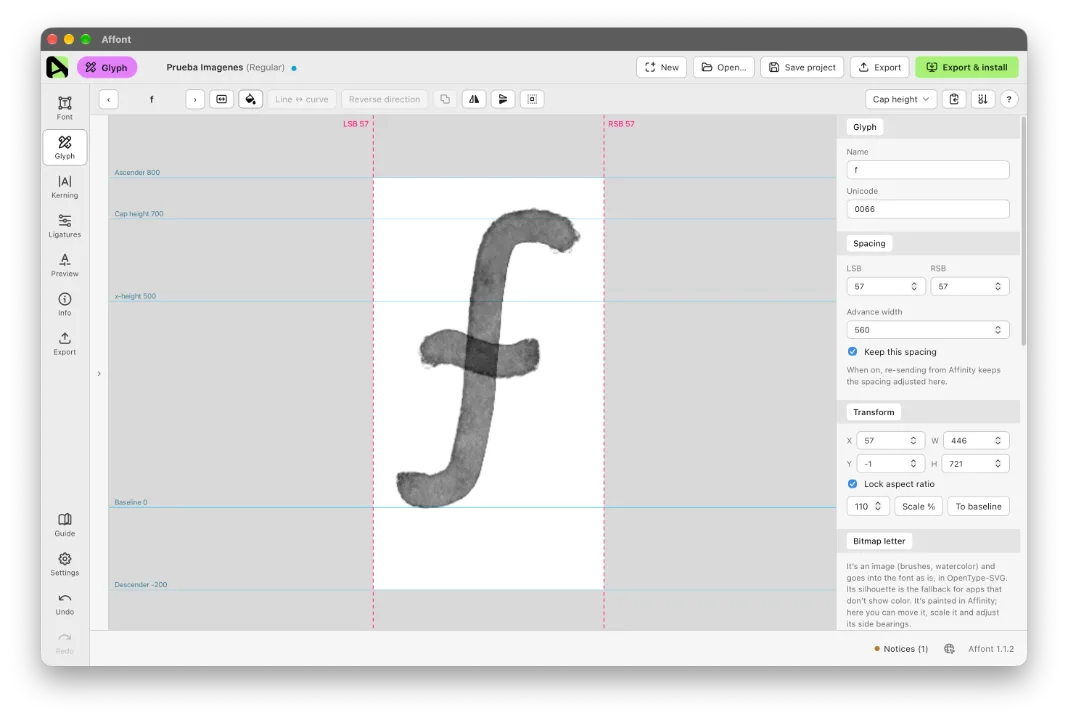
Tip: to keep Affinity layer effects (glows, shadows, bevels…), apply the effect to each letter, then use Layer ▸ Rasterize & Trim… and send: each letter arrives as a bitmap letter, effects included.
Several letters at once, without a template (1.1.1)
- In Affinity, draw the letters side by side (in one or more rows), select them and run “Affont - Send”.
- Affont opens New characters: type which character each shape is (Tab moves to the next one), or all of them at once in All in order (“ABCDEFG”).
- They are scaled and set on the baseline from their names, and the dot of the i and accents are joined automatically.
Glyph: shapes on their own (1.1.1)
- Click a shape (the i and its dot are two) to move, scale, rotate or delete it on its own; Shift + click adds more.
- Paste inside adds what you copied to the letter without erasing what it already has, and leaves it selected so you can place it.
Auto-space and Auto-kerning, live (1.1.1)
- The result shows live while you change the values; Apply keeps it and closing without applying discards it.
- Drag the numbers sideways to raise or lower them.
After updating, import the Affinity scripts again:
- In Affont: Settings ▸ Scripts for Affinity (.afscripts)…
- In Affinity: Script Library ▸ ▾ menu ▸ Import scripts… (delete the old “Affont” category first).