Affont 1.1.6: type on the text, smart tools up front, ligatures in Kerning and a welcome guide for Affinity
 Emmanuel from AffontTeamTeam·
A big one, shaped by the feedback of type designers who use Affont every day. What’s new:
Type right on the text
In Font, Kerning, Spacing, Ligatures and Preview you click on the large text and type right there, with a cursor, selection and paste. Double-click a letter to try its alternates in that spot.
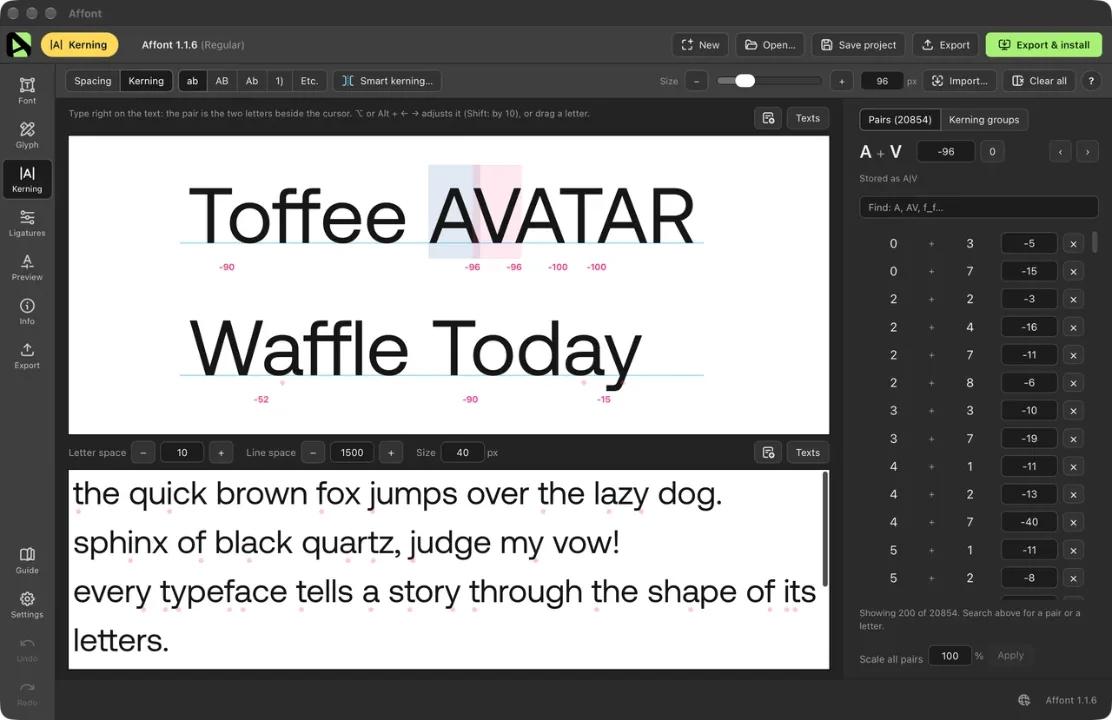
Smart spacing and smart kerning, right where you need them
- Smart spacing… and Smart kerning… now sit next to ab · AB · Ab · 1), always with their name.
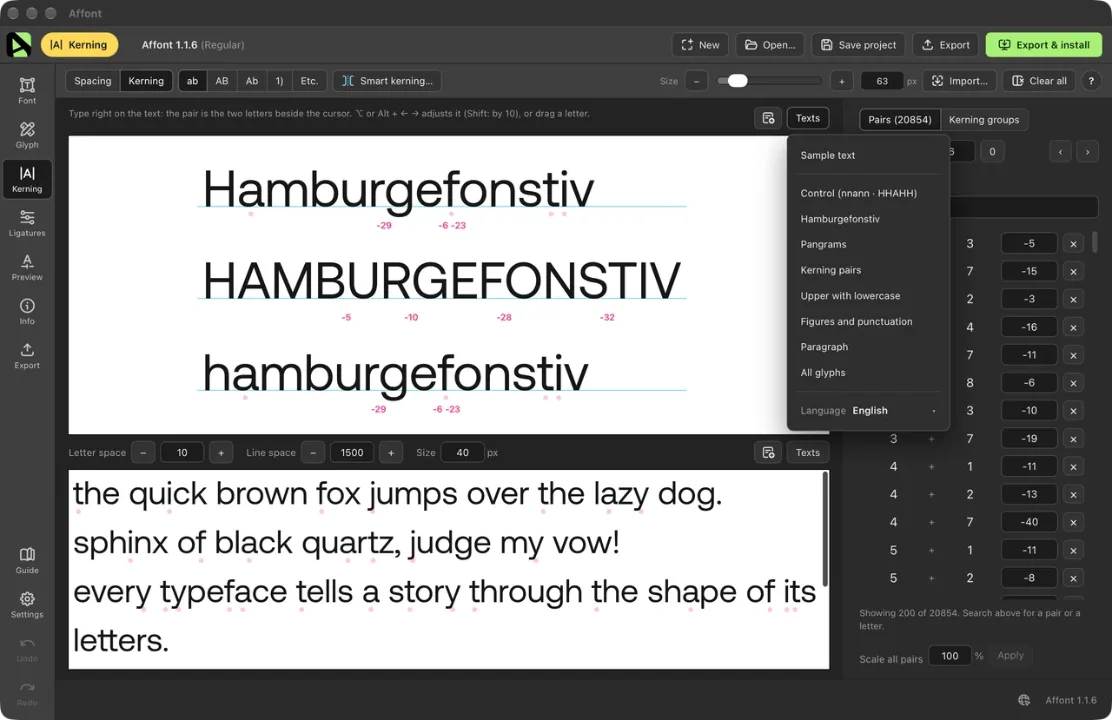
- A new Texts menu next to every text: your usual sample text, control strings (nnann · HHAHH), Hamburgefonstiv, pangrams, kerning pairs, figures, a paragraph or all your glyphs, in the language you choose. Also in Preview.
Ligatures and alternates in Kerning and Spacing
- Type “ff” and the ligature shows up, like in any app. Any glyph can be typed by its name with a slash: /a.alt1, /f_f, /T.ss01.
- Kern and space them like any letter. The pair list and the spacing table find them by name (“f_f”, “a.alt1”).
- Smart spacing and smart kerning include them too.
Handwriting fonts
A new Random rule for alternates (and All random in Ligatures): each letter takes turns between its forms, so two neighbours never look the same. There’s a new Guide section about handwriting and script fonts.
Glyph editor
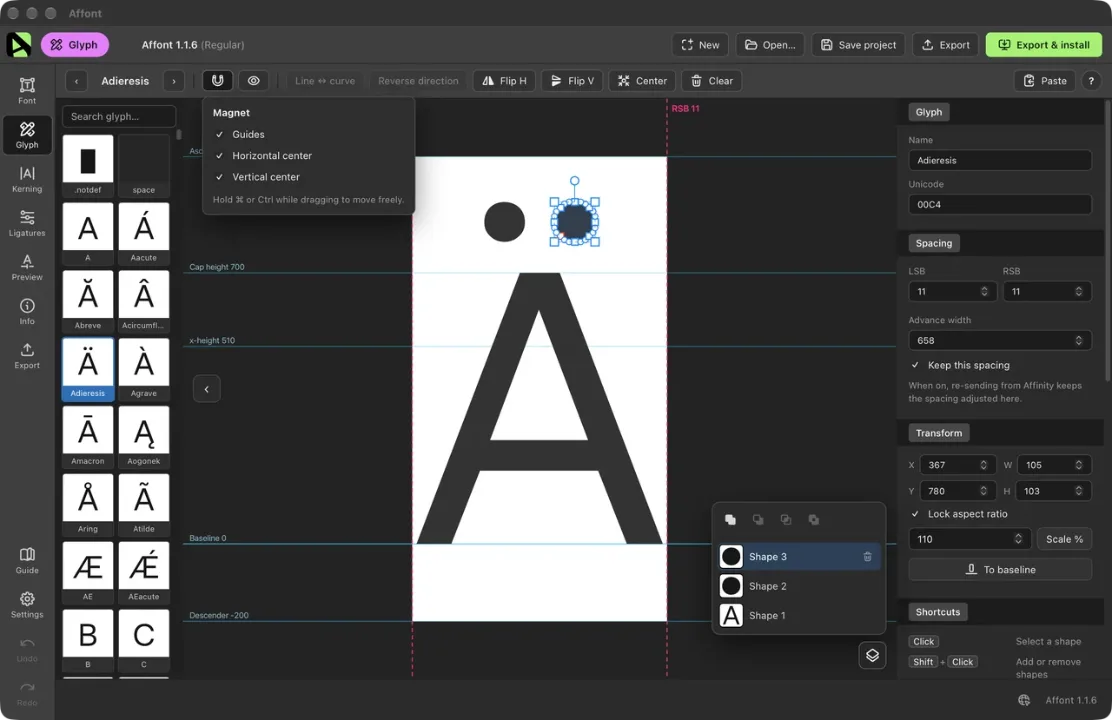
- A Layers panel with booleans: Unite, Subtract, Intersect, Exclude. Copy and paste shapes between letters.
- A magnet that snaps what you move to the guides and to the horizontal or vertical center.
- Shorter toolbar: Paste (vectors, inside and the size) is one menu; fill, outlines and LSB/RSB handles live in the eye menu; ⌘/Ctrl+0 centers the view.
- Dragging the LSB keeps the letter still. Clear empties a letter.
Several letters at once
In Font, select several letters (⌘/Ctrl + click, Shift + click) and use Baseline… to sit them on the baseline together, even ones with an irregular bottom.
Batches from Affinity
- Every send from the same document comes out at the same size.
- All-caps fonts named as lowercase no longer come out smaller.
- “All in order” fills only the shapes without a name and understands the comma itself. The vertical bar | is accepted.
Vietnamese and names in any script
- The đồng sign (₫), and in Build accented the tone mark sits beside the circumflex (ấ ầ ẩ), the way Vietnamese is written.
- Export no longer fails with font names in Vietnamese, Japanese or Thai.
A welcome guide for Affinity
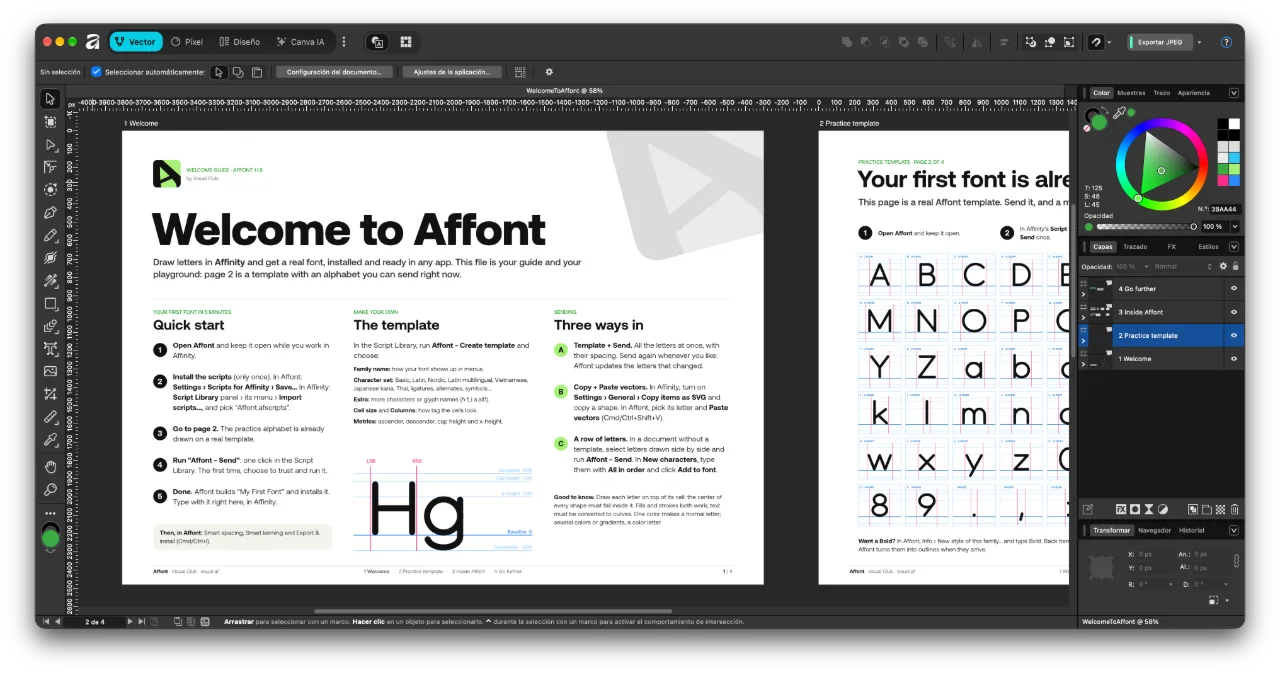
WelcomeToAffont.af walks you through everything, step by step, with a practice font ready to send. Open it from the last step of the welcome or from the Guide.
Also new
- In Preview, the OpenType features are in one Features menu, with All and None.
- On Mac, installed fonts show up in every app right away.
After updating, import the Affinity scripts again only if you want the đồng sign in the template’s Vietnamese set:
- In Affont: Settings ▸ Scripts for Affinity (.afscripts)…
- In Affinity: Script Library ▸ ▾ menu ▸ Import scripts… (delete the old “Affont” category first).
Thanks to ikiiko, JOL and Ronny Studio for the detailed feedback behind this version.