Affont 1.1.7: italics and slanted scripts in smart spacing and kerning, and standard glyph names
 Emmanuel from AffontTeamTeam·
A smaller update, shaped by two questions from type designers this week. What’s new:
Italics, obliques and slanted scripts
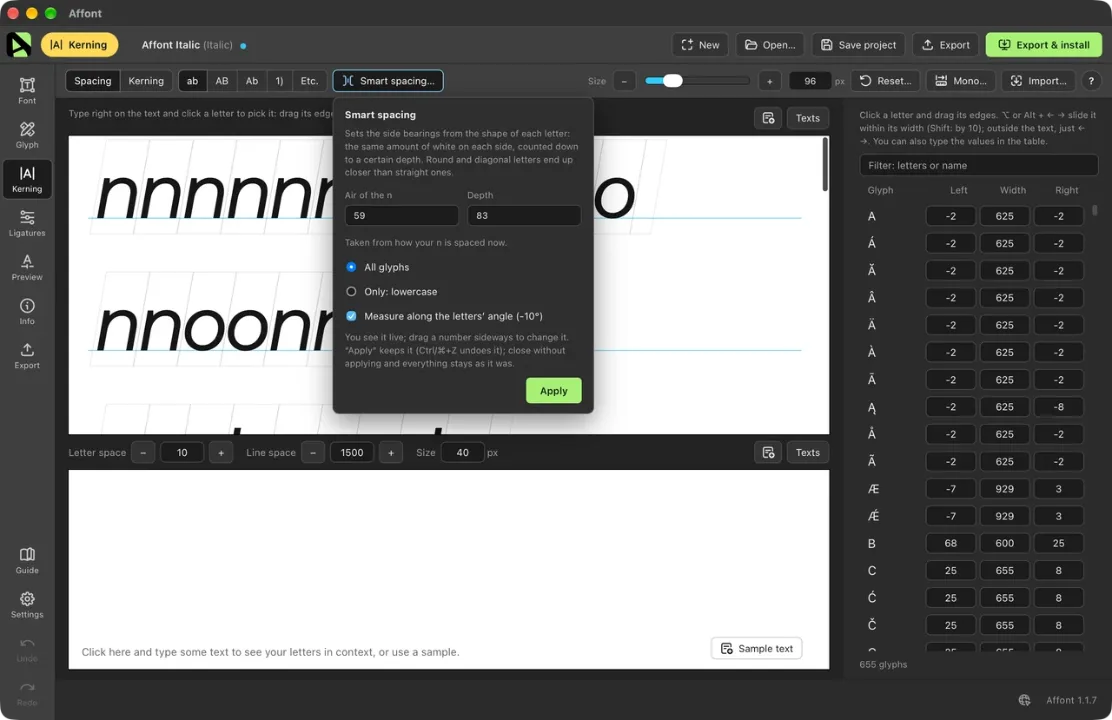
Smart spacing and smart kerning used to measure each letter horizontally, so a slanted letter looked like it had more air on one side than it really had. Now they measure along the slant, the way type designers do.
- Open Smart spacing… or Smart kerning… on slanted letters: Affont notices the angle and offers to measure along it, already ticked. Apply, and that’s it.
- In the glyph editor and in Spacing, the LSB/RSB lines and the letter boxes lean with the angle, and the side bearings are measured along it.
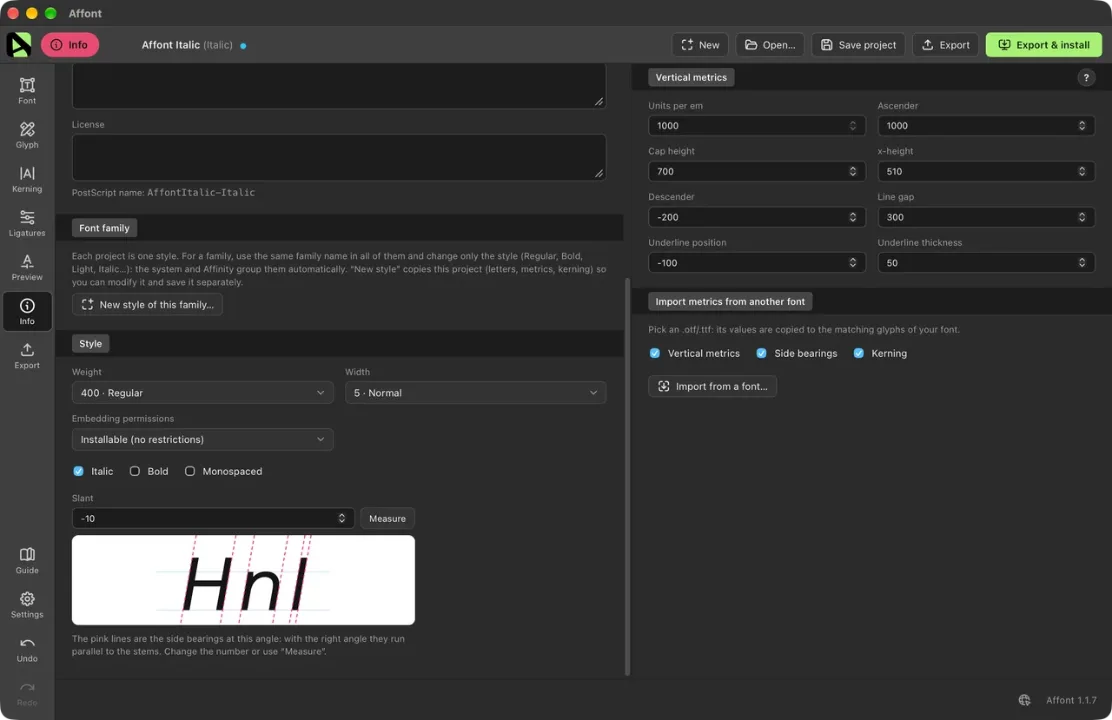
Slant, in Info ▸ Style
A new Slant field sits next to Italic, with a small sample of your letters: with the right angle, the pink lines run parallel to the stems. Measure reads it from your straight stems (I, l, H, n), and ticking Italic measures it for you.
Italic and Slant are separate on purpose. Tick Italic only when the font is the italic of a family with a Regular; a slanted script or handwriting font on its own just uses Slant.
Standard glyph names
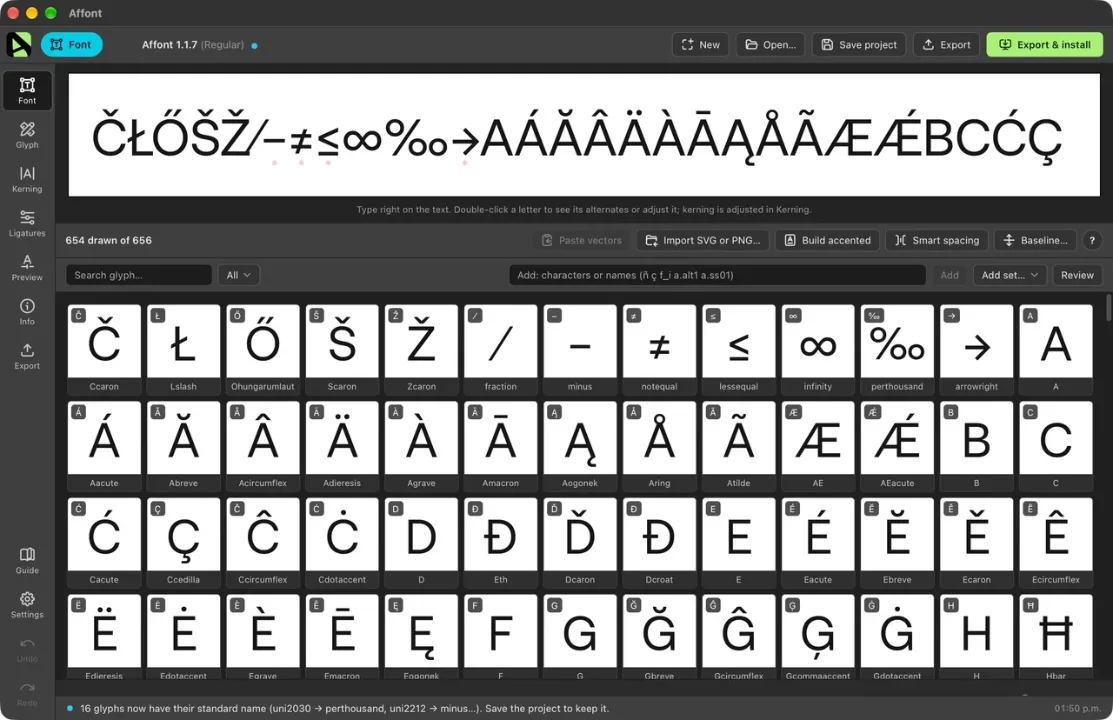
− ‰ ⁄, the extended Latin letters (Č Ł Ő Š Ž…), Greek, arrows and math signs now get their usual names (minus, perthousand, fraction, Ccaron) instead of uniXXXX. When you open an older project, Affont renames them by itself, kerning and features included; save the project to keep it. You can also type those names when adding letters and in your Affinity cells.
Also new
- If you skipped 1.1.6, What’s new now opens it too, so you don’t miss it.
No need to import the Affinity scripts again for this version.
Thanks to everyone who sent feedback this week, especially the designers who asked about glyph names and slanted fonts (ikiiko, Hello Good Studio).